
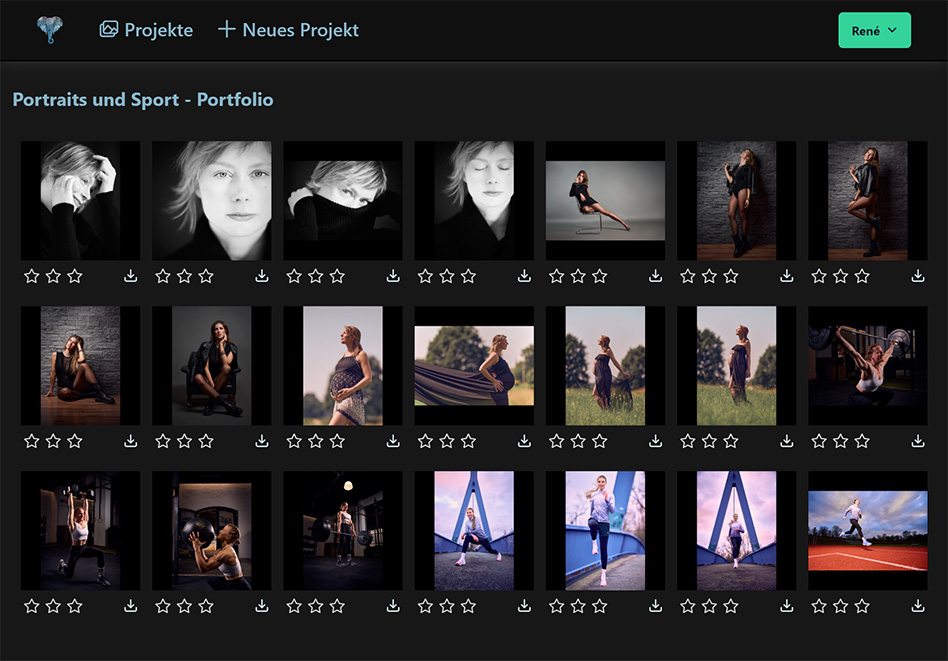
Simple — Secure — Fast
Photo rating with clients and models.
You upload the images from the shoot, invite clients and models, and get the favourites back as stars. The file names of the selected photos go straight into Lightroom or Capture One.
- 1 GB free forever
- Servers in Germany
- Two-factor authentication
- Share links with password and expiry date
Asante.Pictures is the short path between shutter and selection: one project, verified access, ratings from everyone involved in one place.
The status quo
A shared folder is not a rating workflow.
Photos end up in a cloud folder, the link gets passed on in chats, and the feedback arrives as a voice message or screenshot. Then the real work begins: matching names, hunting for files, reconstructing the selection.
When several people on the client side work on the selection, you end up with several lists that nobody merges. And a link that has been shared once can never be collected back.
With Asante.Pictures
Access, rating and export in a single project.
You decide per project how access works: invited people with their own login and verified access — or a share link without login, optionally with a password and expiry date.
- 01Ratings as stars, traceable per person
- 02Several people on the client side see each other's ratings and choose together
- 03File names of the favourites to the clipboard — ready for Lightroom and Capture One
- 04Access revocable at any time, share links expire automatically
Workflow
From upload to selection in four steps.
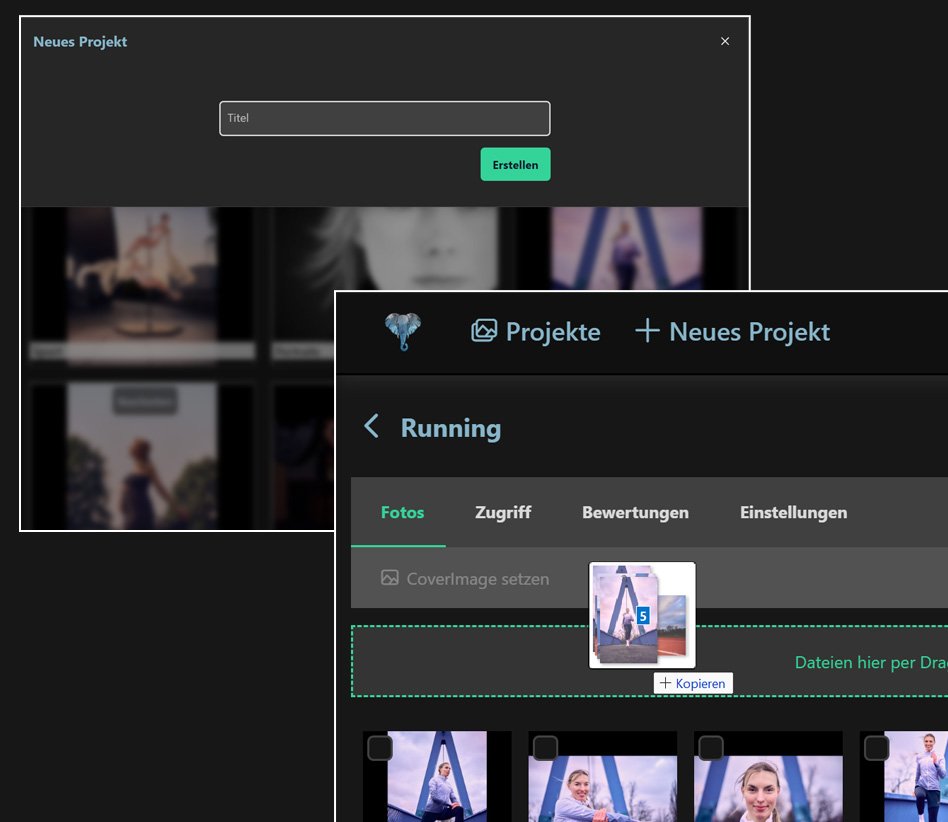
Create a project and upload photos
After the shoot, three clicks are enough: log in, new project, create. Then you drag your selection from the file explorer or finder straight into the project.
Previews are generated server-side, the original file names are preserved.
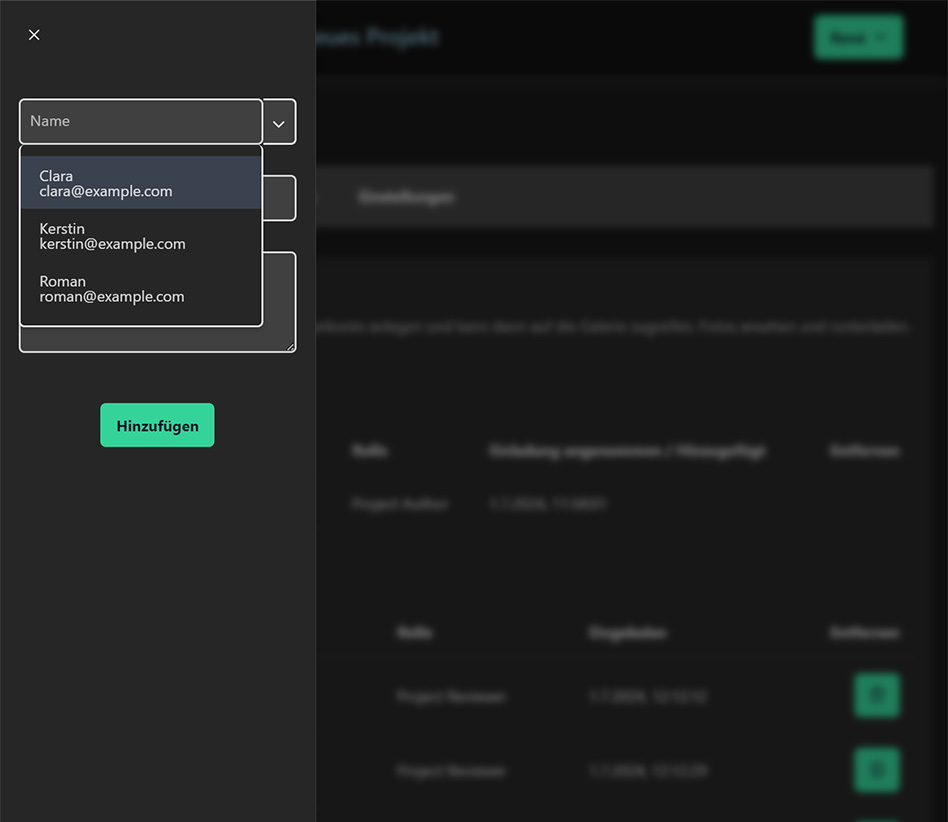
Invite or share
You invite people with their own account — or share the project as a link without login, optionally with password and expiry date. Invitees receive an e-mail with the project link and instructions.
Access can be revoked individually at any time, share links expire automatically on the set date.
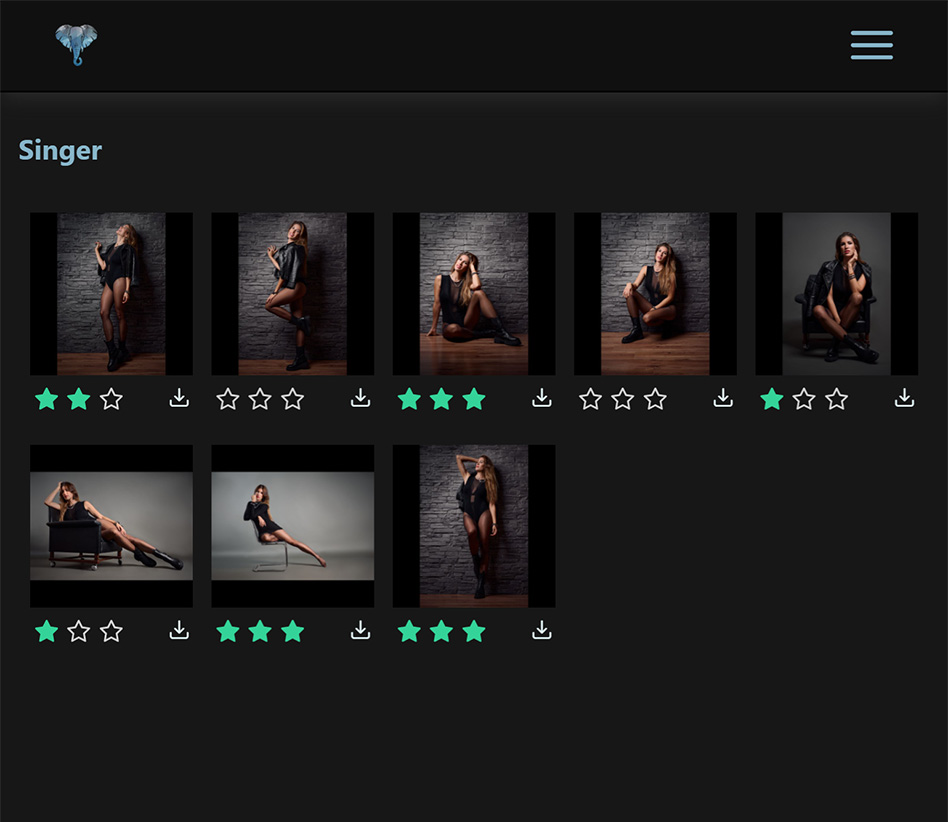
Rate together
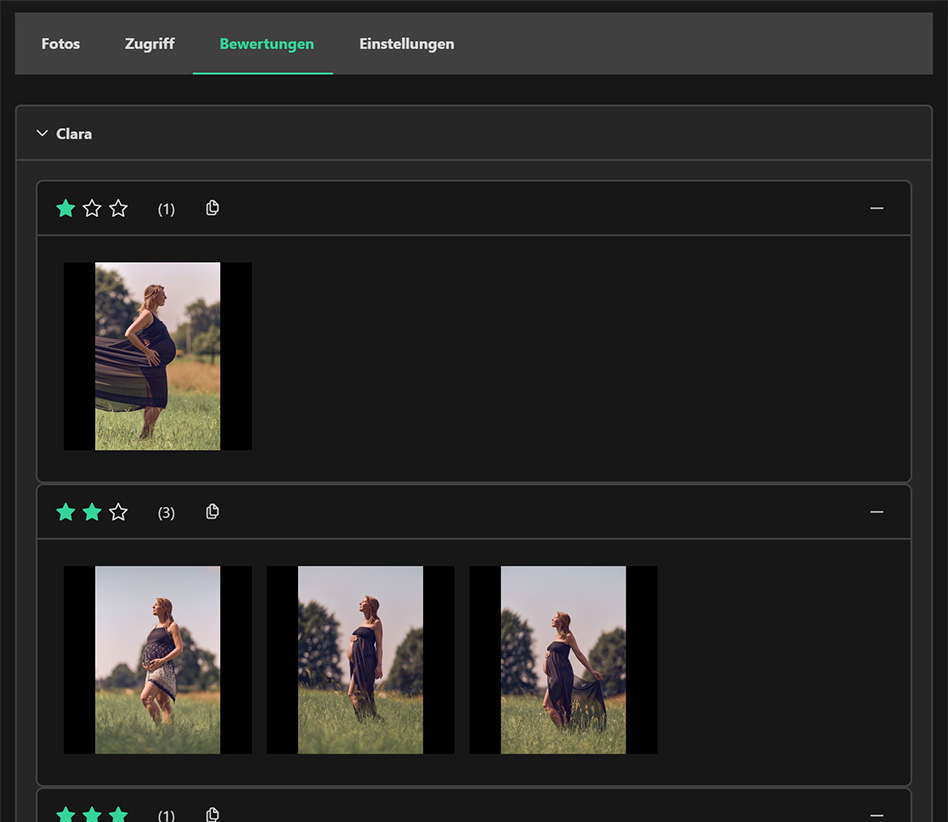
Everyone involved marks their favourites with stars — on the phone on the go or on the monitor in the studio. If several people on the client side have access, they see each other's ratings and agree on the selection right in the project.
Ratings are visible immediately, traceable per person and need no export step in between.
Export file names
The file names of the rated images end up as a list in the clipboard and from there in the filters of Lightroom or Capture One.
No matching via screenshots, no queries about “the third from the left”.
Roles
Three perspectives on the same project.
You stay in control of images and access.
From upload to export, everything stays in one project: who is invited, who is watching via a share link, who has rated, and which files go into editing.
- ●Projects per shoot instead of shared folders
- ●Invitation with account, or share link with password and expiry date
- ●Ratings traceable per person
- ●Export of the file names into your editing tool
Security & Technology
Here, security is a feature, not an add-on.
Every project and photo access is checked individually, on every request — including access via a share link. The standard route is invited accounts; when it needs to be uncomplicated, you share the project as a link without login and optionally protect it with a password and expiry date. Uploads are encrypted, previews are generated server-side, originals stay separate from delivery.

Security first
Every access to a project or photo is authorised individually — via the account or via the rules of the share link.

Login or share link
Either invited accounts, traceable and revocable — or a share link with password and expiry date.

Mobile and desktop
Rating works on the phone just as it does on a large monitor, with the same access rules.

Two factors
Two-factor authentication for all accounts, at no extra cost and with no detours.
Performance
Every image is precomputed server-side into variants sized for mobile and desktop. Frontend and backend are built to keep galleries of more than 1000 photos smooth.
Hosting
Servers and backups in Germany, operated in an ISO 27001 certified data centre. No transfers to third countries.
Privacy
Deletion at the press of a button, analytics with self-hosted Umami without third-party cookies.
Comparison
Asante.Pictures next to cloud folders and gallery links.
Questions
Frequently asked
Do my clients need an account?
+How secure is a shared link?
+Do several people see each other's ratings?
+Where are my photos stored?
+Can I revoke access again?
+How do the ratings get into Lightroom?
+Which file formats are supported?
+Can I switch or cancel my subscription?
+Subscriptions
Start small, switch anytime.
Free
Free forever
For trying things out with a real project.
- 1 GB storage
- 1 project, up to 300 photos
- 1 invited person per project
- Photo rating
Recommended
Asante
For occasional shoots
Several projects a year, unlimited participants.
- 3 GB storage
- 3 projects, up to 300 photos each
- Unlimited invited people
- Photo rating
Asante Sana
For professionals
Ongoing shoot operations with many projects per month.
- 10 GB storage
- Unlimited projects, up to 2000 photos each
- Unlimited invited people
- Photo rating